ERP Migration to Xentral
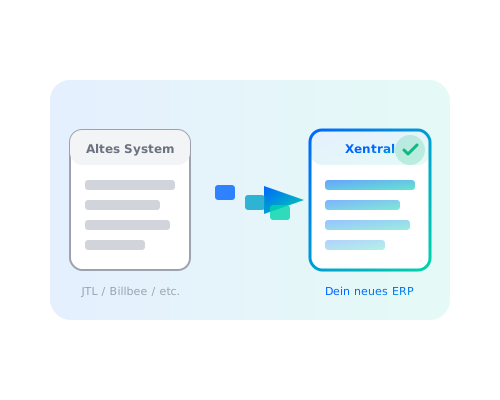
Which system are you coming from?
JTL-Wawi
Fully supported
Billbee
Fully supported
plentymarkets
Fully supported
pixi
On request
Sage/Lexware
On request
Custom/Excel
On request
What gets migrated?
Master data
- Products (incl. variants, images, descriptions)
- Customers & suppliers
- Price lists
- Categories/product groups
Transactional data
- Open orders
- Stock levels
- Serial numbers/batches
Historical data
- Past orders (optional)
- Customer revenue (optional)
- Invoices as archive (optional)
The migration process
7 clearly defined steps for a secure migration
Inventory
Analysis of your current system: data structure, processes, integrations. What needs to be migrated, what can be simplified?
Migration plan
Detailed plan with timeline, milestones and responsibilities. You know exactly what happens when.
Xentral setup
I configure Xentral - master data, workflows, integrations. In parallel with your running system.
Data migration
Export from the legacy system, transformation, import into Xentral. Multiple test runs until everything is right.
Parallel operation
Both systems run briefly in parallel. You test in Xentral while the legacy system is still live.
Go-live
Switch to Xentral. Legacy system is deactivated. I am available for any questions.
Post-launch support
4 weeks of support after go-live. Fine-tuning, questions, optimisations.
Minimising risks
Typical risks
- Data loss due to a faulty migration
- Business disruption during the switchover
- Missing historical data
- Integrations not working after the switch
- Staff unable to get to grips with the new system
How I avoid them
- Multiple test migrations before the real go-live
- Parallel operation - no hard cutover
- Historical data available as an archive
- All integrations tested in advance
- Training before go-live
What is ERP migration?
The structured switch from one ERP system to another, without data loss or business interruption.
During a migration to Xentral, all relevant data is transferred: products, customers, suppliers, stock levels and optionally the order history. The old system continues running in parallel until the new one has been fully tested.
Frequently asked questions about migration
Simple migration (Billbee): 2-3 weeks
Medium migration (JTL with few customisations): 4-6 weeks
Complex migration (plentymarkets with many integrations): 6-8 weeks
Ready to switch to Xentral?
Let us discuss your migration plan in a free consultation.